App Features
How Do You Start a Keto Meal Plan as a Beginner?
Short Answer
To start a keto meal plan as a beginner, work out your calorie target, pick a few recipes for each meal that keep carbohydrates very low, and plan the whole week before you shop. Keto is hard to keep up when you decide at the last minute: one sweet sauce or one bread roll can use up most of the day.
Know what to cook, what to eat, and what to buy. easyChef Pro brings your recipes, nutrition, meal plans, pantry and shopping together in one app. Pick the Keto diet plan and the app builds your meal plan from your goal, allergies and meals per day, or you plan the days yourself. Each recipe shows carbohydrate, protein and fat per serving, and you can add its products to your cart for the week's shop. If you take medication or manage a health condition, talk to your doctor before you start.
What a keto meal plan is, and the problem it solves
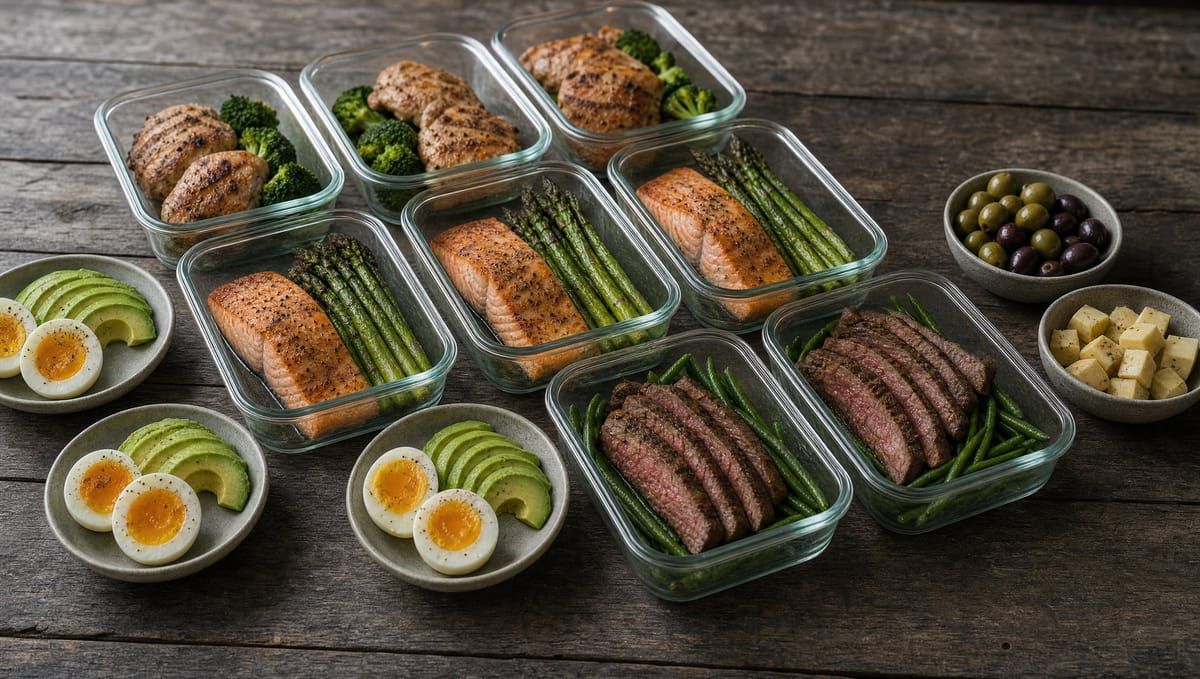
Keto is a way of eating that keeps carbohydrates very low, gets most of its calories from fat, and keeps protein moderate. The food itself is not complicated: eggs, meat, fish, cheese, nuts, oils and low-starch vegetables. The hard part is planning. Carbs hide in sauces, marinades, fruit and starchy vegetables, and if you decide what to eat at the last minute, the easy option is rarely keto. A meal plan moves those decisions to one sitting, so each meal is chosen before you are hungry.
How to start a keto meal plan as a beginner
- Know your calorie target. A TDEE calculator estimates what you burn in a day, and a macro calculator splits it into protein, carbs and fat.
- Choose how many meals you eat a day. Plan around how you actually eat, not how you think you should.
- Pick a few recipes per meal and repeat them. A short rotation is easier to shop for and easier to stick to in week one.
- Check carbs per serving on each recipe. Look at sauces, fruit and starchy vegetables first.
- Shop for the whole week at once. A plan only works if the food is in the kitchen.
How to make a keto meal plan in easyChef Pro
- Answer the setup questions. Enter your sex, birthday, height, weight, activity and goal. The app works out your calorie and macro targets from your answers (Mifflin-St Jeor).
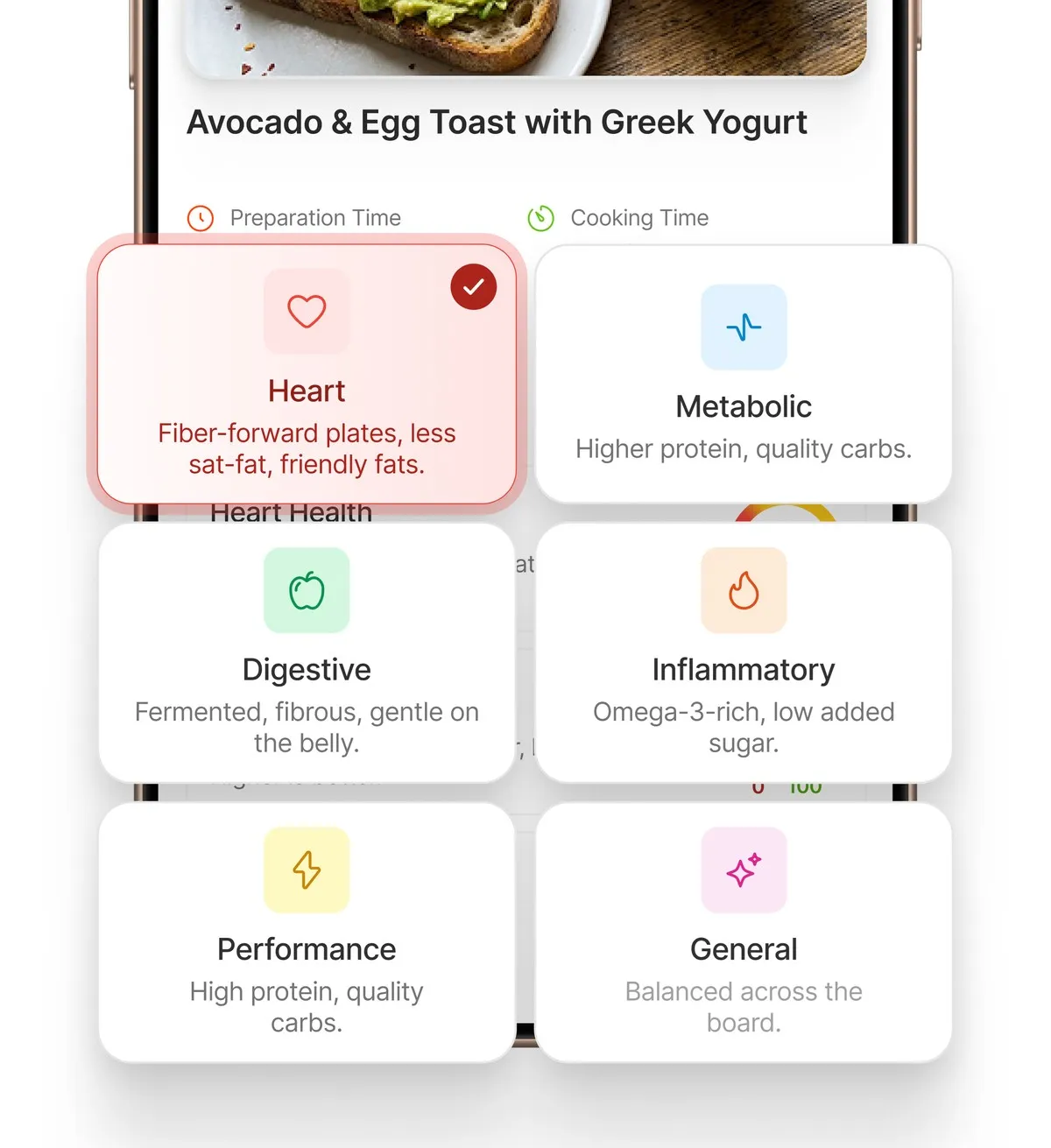
- Pick your diet plan. The choices are Balanced, Keto or Anabolic. Choose Keto. (Health Focus pairs with the Balanced plan, so a Keto plan does not use one.)
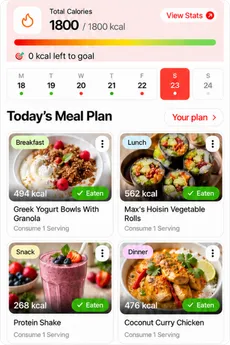
- Choose Auto Generate or Build It Yourself. Auto Generate builds a meal plan from your goal, diet plan, allergies, protein sources and meals per day. Build It Yourself lets you plan your own days.
- Adjust the week. Swap a planned meal for a ranked alternative, or add any recipe from its page to a day and meal (date, meal type, servings).
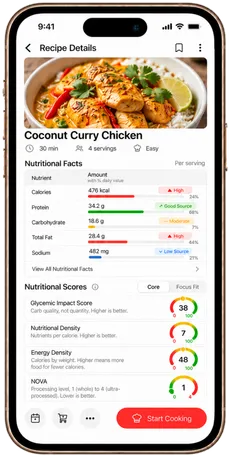
- Check each recipe. The recipe page shows 20 nutrients per serving, including carbohydrate, protein and fat, with the share of your own daily target.
- Shop it. Add a recipe's products to your cart (a confirm step is shown), then send cart items to a Walmart cart.
Keto meal plan tips for your first weeks
- Cook protein in batches. A tray of chicken thighs or a pot of ground beef covers several meals.
- Keep a short list of safe snacks. Cheese, nuts, olives and eggs stop the 4 pm search for something that fits.
- Read the sauce. Many store-bought dressings and sauces add sugar. Check the nutrition before you add a recipe to your week.
- Plan leftovers on purpose. Cooking twice the servings at dinner can cover tomorrow's lunch.
What the plan shows you, and what it does not
The app does not promise a result, and keto is not right for everyone. What it does is show the facts as you plan: calories and macros per serving on each recipe, your calorie target for the day, and a plan built from the diet plan you picked. You can read the numbers before a recipe goes into your week, not after you have eaten it.
What makes easyChef Pro different
Your life changes. Your kitchen should change with it.
If keto stops fitting, you do not start over. Change your diet plan, goal, activity, weight or meals per day in Preferences, and your targets are recalculated. Your saved recipes, cookbooks and cart stay where they are, and the plan, recipes, nutrition and cart are all in one app.
Related Reading
Frequently Asked Questions
- How do you start a keto diet meal plan as a beginner?
- Work out your calorie target, choose how many meals you eat a day, pick a few keto recipes per meal and repeat them, check carbs per serving on each recipe, and shop for the week at once. If you take medication or manage a health condition, talk to your doctor before you start.
- How do you make a keto meal plan?
- In easyChef Pro, answer the setup questions, pick the Keto diet plan, then choose Auto Generate to have the app build the plan, or Build It Yourself to plan your own days. You can swap a planned meal or add any recipe to a day and meal.
- How do you meal plan for keto?
- Plan the week in one sitting, keep a short rotation of recipes, cook protein in batches and check the sauces. Look at carbohydrate per serving before a recipe goes into your plan, not after.
- Which diet plans does easyChef Pro offer?
- Balanced, Keto and Anabolic. A Health Focus such as Heart or Digestive can be added with the Balanced plan.
- Can I switch away from keto later?
- Yes. Change your diet plan in Preferences and your targets are recalculated. Your saved recipes and cookbooks stay as they are.
PICK YOUR PLAN
Plan Your Keto Week in One Place
Pick the Keto diet plan in easyChef Pro, let the app build your week or plan it yourself, and see nutrition per serving on each recipe.



On a computer? Scan with your phone camera to get the app.