App Features
What Is a Recipe Remix, and How Do You Compare Before and After?
Short Answer
A recipe remix is your own version of a recipe: the same dish with ingredients swapped, added or removed to suit how you eat. The hard part is knowing what the change did. Swap cream for yogurt or white rice for brown, and the dish tastes different, but you cannot see what changed in the nutrition.
Know what to cook, what to eat, and what to buy. easyChef Pro brings your recipes, nutrition, meal plans, pantry and shopping together in one app. Remix lets you swap, add or remove ingredients, tap Apply Changes, and compare the nutrition and scores before and after. Your remix is saved as its own recipe, and you can add it to your meal plan.
Why people remix recipes
- To fit a diet. Fewer carbohydrates, more protein, less saturated fat.
- To use what you have. Swap an ingredient you are out of for one in your pantry.
- To suit the table. Leave out an ingredient someone does not eat.
- To make it yours. More garlic, less salt, a different vegetable.
How to remix a recipe, step by step (in easyChef Pro)
- Open the recipe and tap Start Remixing.
- Change the ingredients. Swap an ingredient, add a new one, edit an amount or remove one.
- Pick the swap. Search for the ingredient you want. Items in your pantry are tagged Available. Set the quantity, unit and prep.
- Tap Apply Changes. The app recalculates the recipe.
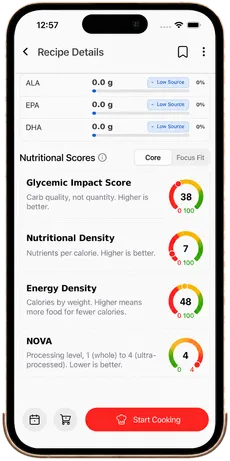
- Compare before and after. Nutrition Impact shows the scores and a nutrient table for the original and your version, side by side.
- Save Recipe. Your remix is saved as its own recipe, marked Remixed, and the original stays as it was.

Healthy recipe substitutions to try in a remix
These are common swaps cooks use. Make the swap in Remix and compare the numbers for your recipe before you decide.
- Greek yogurt for sour cream in dips and toppings.
- Brown rice or another whole grain for white rice.
- Beans or lentils for part of the meat in chili, tacos or pasta sauce.
- Olive oil for some of the butter when you saute.
- More vegetables, less pasta, in the same bowl.
- Less added salt, with lemon, herbs or spices for flavor.
What a swap does depends on the recipe and the amount, which is why the before and after matters more than the rule of thumb.
What to compare before you save
- Calories and protein per serving, if you are cooking to a target.
- Sodium and saturated fat, if those are the numbers you watch.
- The scores, which sum up the recipe as a whole.
If the change is not what you hoped, change the ingredients again and tap Apply Changes before you save.
A remix in practice
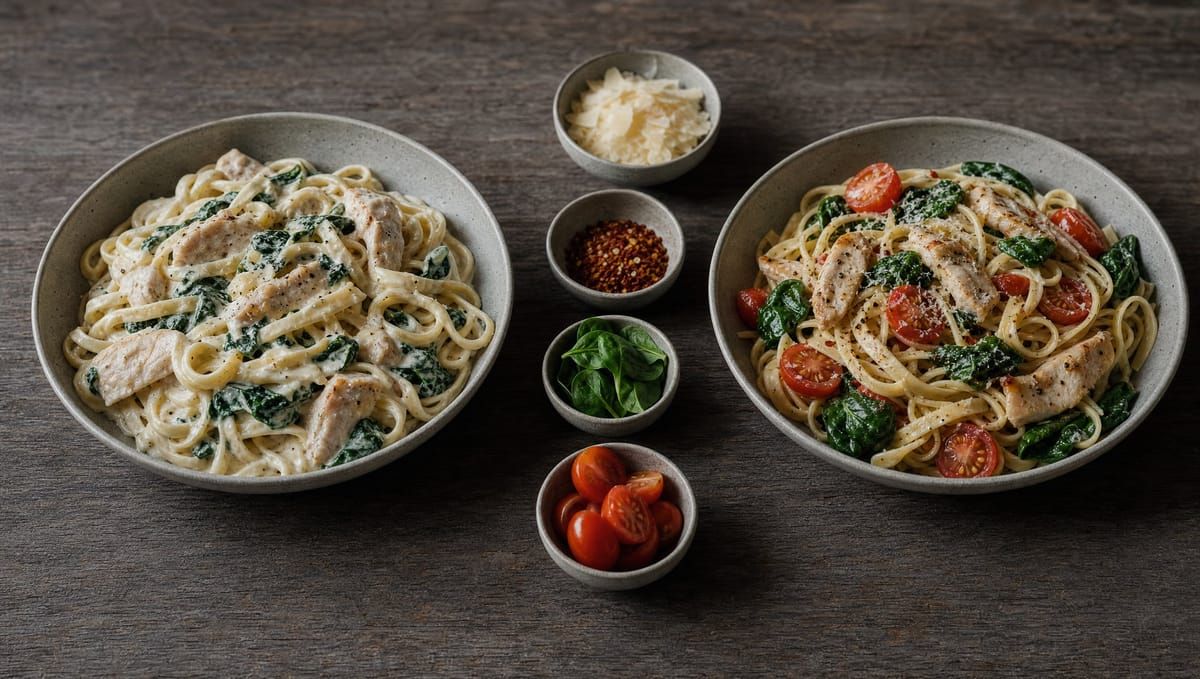
Say you love a creamy chicken pasta but want more vegetables in it. Open Remix and add spinach and cherry tomatoes. Swap part of the pasta for more vegetables, or swap the cream for a lighter base, and tap Apply Changes. Nutrition Impact then shows the scores and the nutrient table for your version next to the original, so you can see what the change did before you keep it. If you like it, save it. If not, try a different swap. The original stays as it was either way.
When a remix is not the answer
Some changes make a different dish, not a version of the same one. If you change the protein, the method and most of the ingredients, write it as your own recipe instead, so its steps match what you actually cook.
What makes easyChef Pro different
The problem was never you. The system was disconnected.
Recipe sites show one version of a dish, and nutrition apps make you enter your changes by hand. In easyChef Pro the recipe, your remix, its nutrition and scores, your meal plan and your cart are in one app, so the version you remix is the one you plan, shop for and cook.
Related Reading
Frequently Asked Questions
- What is a recipe remix?
- Your own version of a recipe, with ingredients swapped, added or removed. In easyChef Pro a remix is saved as its own recipe, and the original stays as it was.
- How do I compare a recipe before and after I change it?
- In Remix, change the ingredients and tap Apply Changes. Nutrition Impact shows the scores and a nutrient table for the original and your version.
- What are some healthy recipe substitutions?
- Common swaps include Greek yogurt for sour cream, whole grains for white rice, beans for part of the meat and olive oil for some of the butter. Compare the numbers for your recipe in Remix before you save.
- Can I swap in an ingredient from my pantry?
- Yes. When you search for a swap, items in your pantry are tagged Available.
- Can I add my remix to my meal plan?
- Yes. A remix can be added to your meal plan like any other recipe.
MAKE IT YOURS
Remix a Recipe and Compare Before and After
Swap, add or remove ingredients in easyChef Pro, tap Apply Changes, and compare the nutrition and scores before you save.



On a computer? Scan with your phone camera to get the app.