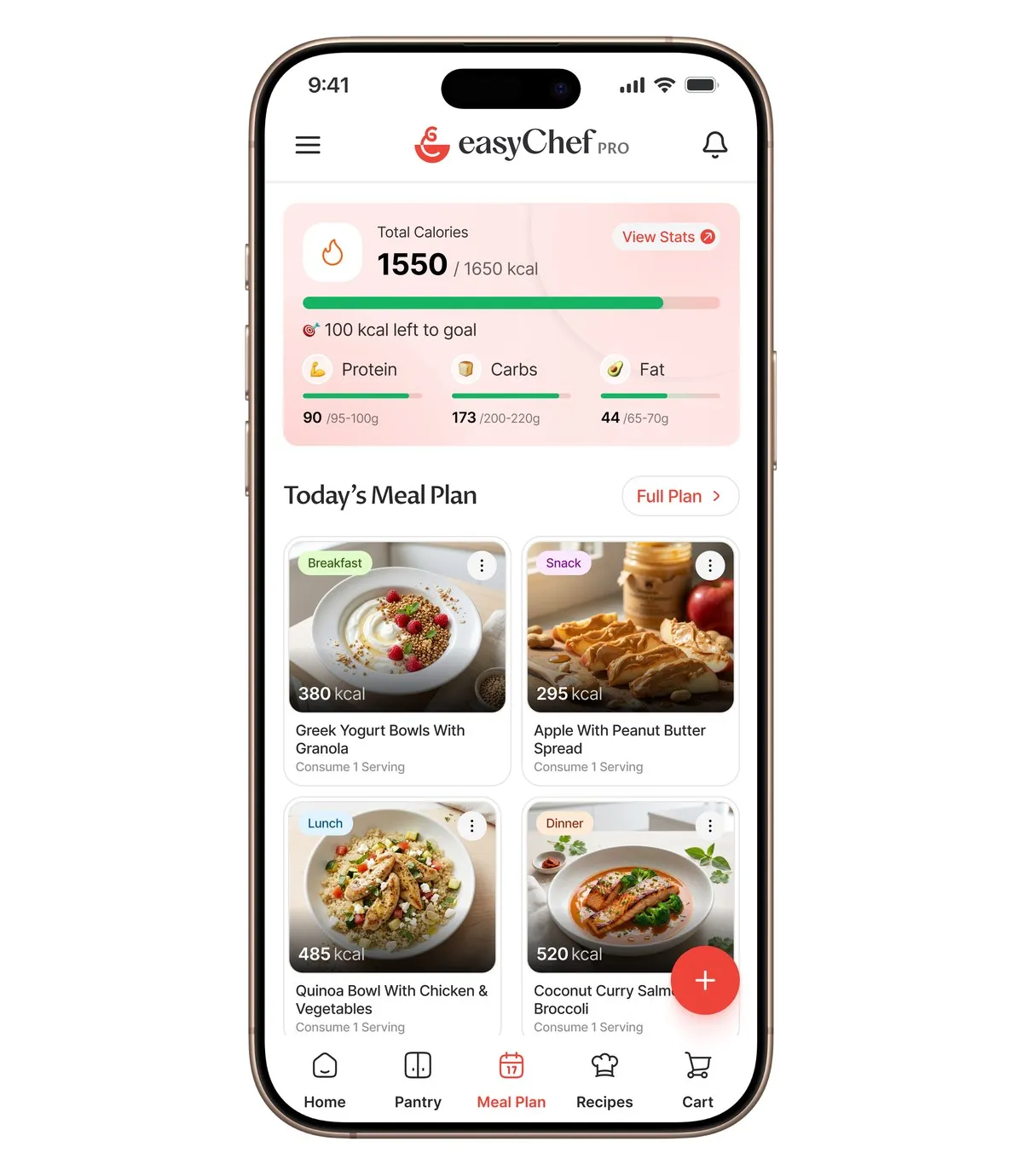
App Features
Can You Send a Walmart Grocery List to Someone?
Short Answer
Yes. Build your Walmart grocery list as a shopping cart in easyChef Pro, and you can share it as text or a link, save it as a PDF to print, or send the items to a Walmart cart. This guide covers the easyChef Pro cart, not the list inside the Walmart app. The usual problem is that the list and the meals live in different places, so items get missed or bought twice.
Know what to cook, what to eat, and what to buy. easyChef Pro brings your recipes, nutrition, meal plans, pantry and shopping together in one app. Add a recipe's products to your cart, and see on each recipe how many of its ingredients are already in your pantry. Items Walmart does not carry are listed as skipped. Below, step by step: how to fill the cart, share it and send it to Walmart.
The problem: the list and the meals live in different places
Most shopping lists are written from memory. You plan a few dinners, then try to remember what each one needs while standing in the kitchen or the store. Something gets missed, something you already had gets bought twice, and the person doing the shopping cannot see the plan behind the list. When the shopping list comes from the recipes themselves, the list matches the week.
How it works in easyChef Pro, step by step
- Fill the cart from your recipes. On a recipe, add all of its products to your cart (a confirm step is shown), or add single products. Adding all of a recipe's products includes items already in your pantry, so check the next step.
- See what you already have. Each recipe shows how many of its ingredients are already in your pantry, for example 4/6. Remove what you do not need from the cart.
- Add the extras. Scan a product's barcode to add it to your cart, or browse the Shop tab for products and recipes.
- Tidy the cart. Change quantities, remove items, or select several at once.
- Share it. Share the cart as text with a link, share the link, or save it as a PDF. Someone who opens the shared link sees a view-only copy of the cart.
- Send it to Walmart. At checkout, send the cart items to a Walmart cart. Items Walmart does not carry are listed as skipped, and the app opens your Walmart cart on walmart.com.
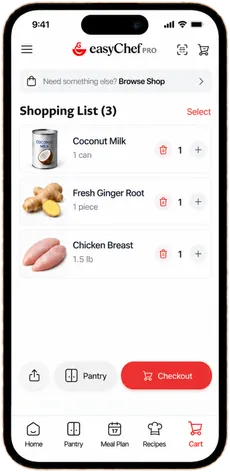
The Walmart step opens your cart on walmart.com; we do not show a Walmart screen here.
Sharing a cart with the person who shops
Shared shopping is where most lists break. One person plans, another shops, and the list in between is a screenshot or a text that goes stale. With the easyChef Pro cart, the person you send the link to opens a view-only screen with the items and quantities you chose, so the list they shop from is the one you planned. If the plan changes, update the cart and share it again. Your past carts are kept as archived carts, so last week's list is there when you want to buy the same things again.
Tips for a shopping list that matches your week
- Plan first, then shop. Add the week's recipes to your plan before you fill the cart, so nothing is left out.
- Check the pantry count before checkout. A 5/6 on a recipe means one ingredient to buy, not six.
- Share the PDF with whoever shops. A printed list works in a store with weak signal.
- Look at the skipped list. Those are the items to pick up somewhere else.
Shopping from a plan, and why it helps you eat the way you meant to
The food you buy decides what you cook. When the cart comes from recipes you chose, with their nutrition per serving and scores already on the recipe page, what reaches your kitchen is what you planned to eat, not what looked good in the aisle.
What makes easyChef Pro different
The problem was never you. The system was disconnected.
Meal planning apps stop at the plan, and store apps start at the cart. In easyChef Pro the recipe, your pantry counts, your cart and the hand-off to Walmart are steps in one app. Walmart is the retailer easyChef Pro sends carts to today.
Related Reading
Frequently Asked Questions
- Can you send a Walmart grocery list to someone?
- Yes, if you build it as a cart in easyChef Pro. Share the cart as text with a link, share the link, or save it as a PDF. The person who opens the link sees a view-only copy of the cart.
- Can you share a Walmart grocery list?
- With the easyChef Pro cart you can share the list as text, as a link or as a PDF. This answer covers the easyChef Pro cart, not the list inside the Walmart app.
- How do I print my Walmart grocery list?
- In easyChef Pro, save your cart as a PDF and print it from your phone, or send the PDF to a computer and print it there.
- How do I send my easyChef Pro cart to Walmart?
- At checkout, send the cart items to a Walmart cart. The app then opens your Walmart cart on walmart.com.
- What happens to items Walmart does not carry?
- They are listed as skipped, so you know what to pick up somewhere else.
PLAN, THEN SHOP
From Recipe to Walmart Cart
Plan your week in easyChef Pro, fill the cart from your recipes, share it, or send the items to a Walmart cart.



On a computer? Scan with your phone camera to get the app.