Barcode nutrition lookup
Barcode Nutrition Lookup: Search by Product or UPC
Type a product name or the number under its barcode (the UPC) to see its nutrition per serving. This page searches by typing. To scan a barcode with your phone camera, use the easyChef Pro app.
Julie from easyChef Pro
Search by product name or UPC barcode


On a computer? Scan with your phone camera to get the app.
New accounts get a 7-day Pro trial, no card required.
Barcode nutrition lookup: what you see and where it comes from
Type a product name, or the number printed under its barcode, and pick the product from the list. You see its calories, protein, carbs, fat and sodium per serving. If a product has no value for a nutrient, a dash shows in its place. This page does not show fiber or sugar.
A UPC is the number printed under a barcode on a packaged product. This page searches by typing and does not use your camera.
Where the numbers come from: the product's nutrition data in easyChef Pro's food database. Use the numbers as a guide.
For general wellness purposes only, not medical advice.
Barcode scanning
Scan a barcode on the shelf. Compare two products before the cart.
In easyChef Pro, scan a packaged product's barcode while you shop to pull up its nutrition facts and compare two options on the shelf before either goes in the cart.
Get the app.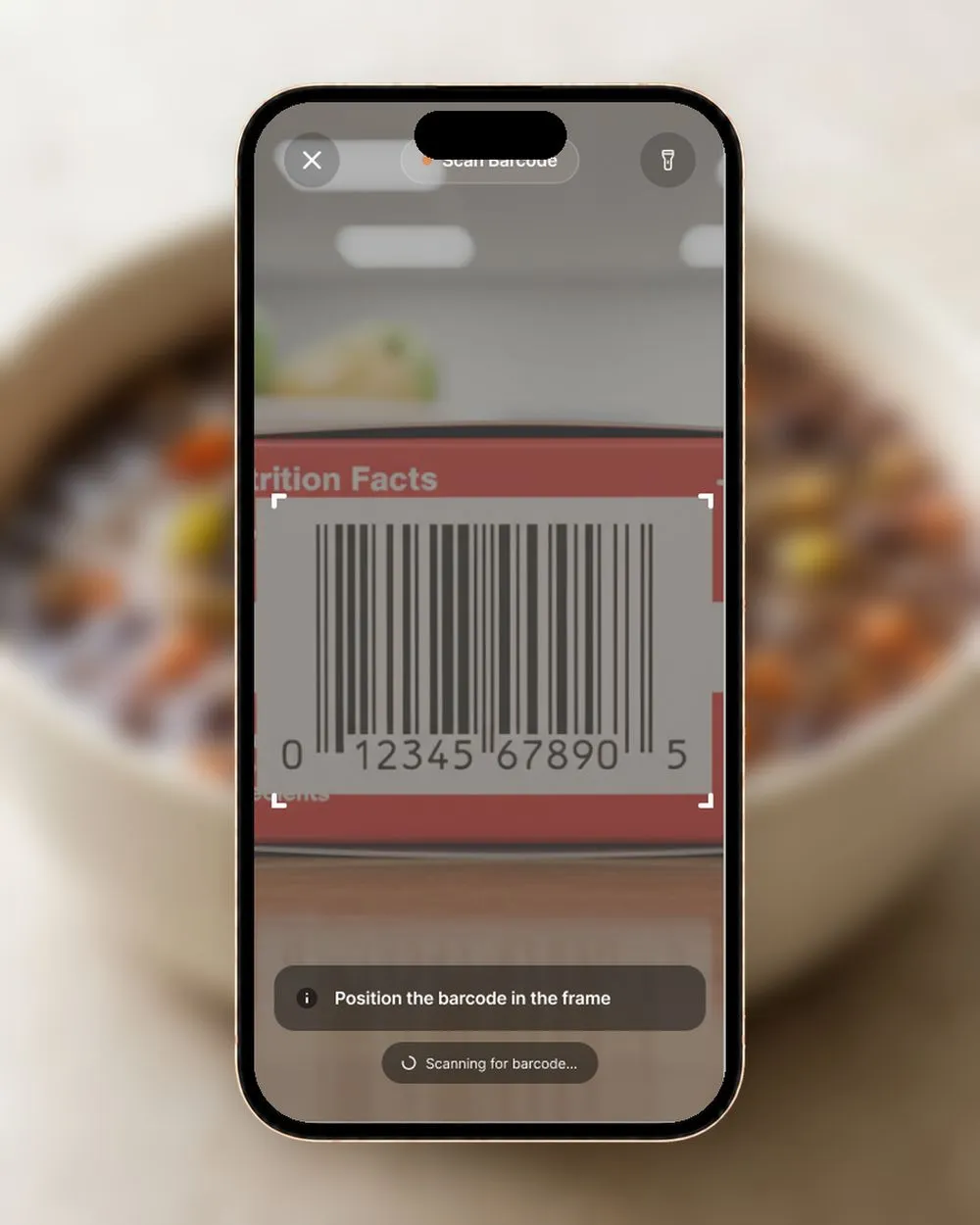
Frequently asked questions
How do I look up nutrition by barcode number?
Type the product's UPC number (the number under the barcode) or its name into the box above and pick the product. You see its calories, protein, carbs, fat and sodium per serving.
What nutrition does it show?
Calories, protein, carbohydrates, fat and sodium per serving. If a product has no value for a nutrient, a dash shows in its place. This page does not show fiber or sugar.
Can I search by product name instead of the number?
Yes. Type the product name or the UPC number. Either works.
Where does the nutrition data come from?
The numbers come from the product's nutrition data in easyChef Pro's food database. Treat them as a guide.
Can I scan a barcode with my phone camera?
Not on this page, which searches by typing. In the easyChef Pro app you can scan a packaged product's barcode while you shop to pull up its nutrition facts and compare two options before either goes in the cart.
Is the lookup free?
The lookup is free to use. To see your full results you enter your email and tick the box to agree to receive easyChef Pro recipes, tips and product updates. You can unsubscribe anytime.
More free tools
Ready to look up a product?
Type a product name or UPC number to see its calories, protein, carbs, fat and sodium per serving.
Search a product 
On a computer? Scan with your phone camera to get the app.
New accounts get a 7-day Pro trial, no card required.
More tools: Recipe nutrition calculator | Recipe importer | Daily nutrition calculator