App Features
What Should a Food Diary App Show You?
Short Answer
A food diary app should show your calories against a daily target, the protein, fat and carbs in each meal, and a history you can look back on. It should also make logging fast enough that you keep doing it. Most people stop because typing each meal from scratch gets old by Wednesday.
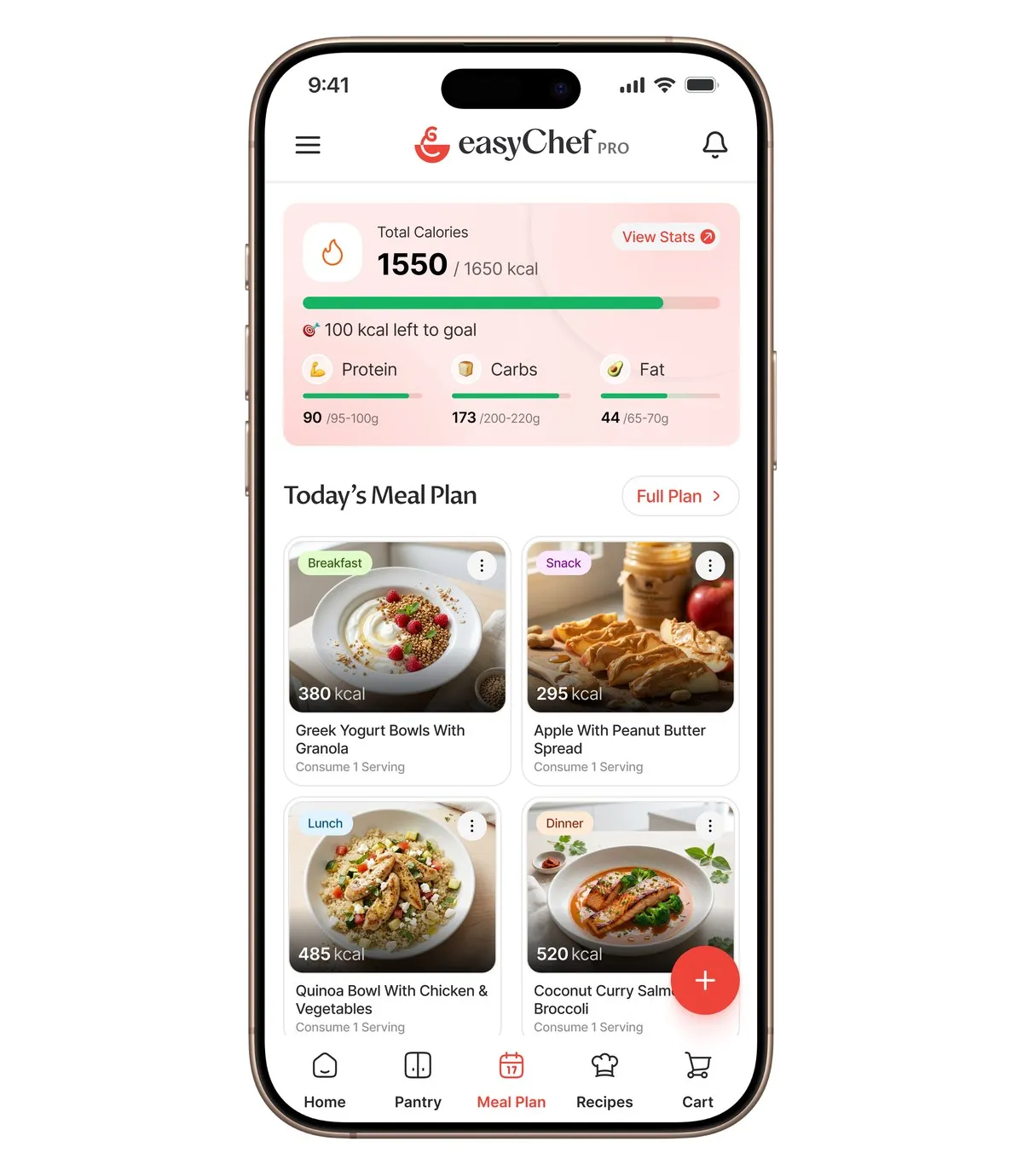
Know what to cook, what to eat, and what to buy. easyChef Pro brings your recipes, nutrition, meal plans, pantry and shopping together in one app. The diary starts from your meal plan: mark a planned meal eaten. Something you didn't plan? Add it to today's plan by barcode, picture or search, then mark it eaten. My Progress shows your calories against your target, Meal Logs show protein, fat and carbs for each meal, and weekly reports export as a PDF.
What a food diary app is, and the problem it solves
A food diary is a record of what you ate and when. On paper it is slow, and in most apps it means searching a database for each item. The real problem is not the diary, it is the gap between what you planned to eat and what you log. When your meals are already in a plan, logging becomes marking a meal eaten instead of writing it again.
What to look for in a food diary app
- Fast logging. Fewer taps per meal means more days logged.
- Calories against a target. A total means little without the number you are aiming for.
- Protein, fat and carbs per meal. These show where the calories came from.
- History you can look back on, by day and by week.
- An export, so you can share the record with a dietitian or coach.
How it works in easyChef Pro, step by step
- Start from your plan, or add what you ate. Your planned meals are already on the day. In the plan you can also add a product, a product by barcode, a meal from a picture, or a meal by search.
- Mark a meal eaten. Set the servings, swap a product if you used something different, and choose whether to deduct the ingredients from your pantry.
- Know what counts. A planned meal does not count toward the day until you mark it eaten. A product you add goes on your plan too, and counts once you mark it eaten.
- Check My Progress. See your calories against your target, meals this week and your day streak. Share or download it as an image.
- Look back with Meal Logs and Weekly Reports. Meal Logs show protein, fat and carbs for each meal. Weekly reports can be exported as a PDF.
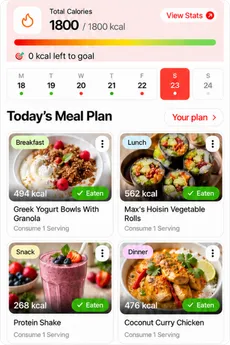
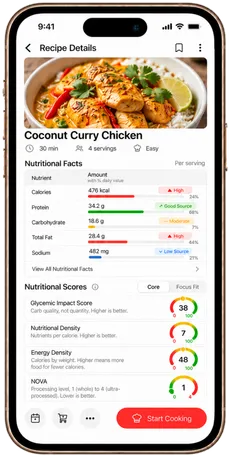
We do not have a screen of the Mark Eaten sheet yet; the meal plan shows meals already marked eaten.
Adding the meals you did not plan
Not every meal comes from a plan. A coffee on the way to work, lunch out with a friend, a snack from the office kitchen: a food diary that only knows your plan misses those. In easyChef Pro you can add them to today's plan as they happen, then mark them eaten:
- A packaged product: add it as a product, or scan its barcode.
- A meal from a picture: add the meal from a photo of the dish.
- A meal by search: search for the meal and add it to the day.
When you mark a home-cooked meal eaten, you can also deduct its ingredients from your pantry, so the pantry counts on your recipes stay right for the next shop.
Tips for keeping a food diary you stick with
- Log at the meal, not at night. Memory fades by bedtime.
- Plan the predictable meals. If breakfast is the same most days, put it in the plan once and mark it eaten.
- Do not chase a perfect day. A logged imperfect day tells you more than a blank one.
- Review weekly, not hourly. The weekly report shows patterns a single day hides.
Why a food diary is worth keeping
A food diary turns guesses into a record. Seeing calories against your target each day, and protein, fat and carbs for each meal, shows you where your days actually land. The weekly PDF gives a dietitian or coach the full picture instead of a recollection.
easyChef Pro does not keep a weight log. Your weight changes only when you edit it in Preferences, and your targets are recalculated from your answers.
What makes easyChef Pro different
Your life changes. Your kitchen should change with it.
Most food diaries start empty every morning. In easyChef Pro the diary starts from your plan. Change your goal, activity or diet plan in Preferences and your targets are recalculated, and the recipes, the cart and the pantry stay connected to what you log.
Related Reading
Frequently Asked Questions
- What is the best food diary app?
- The best one is the one you keep using. Look for fast logging, calories against a target, protein, fat and carbs per meal, a history by week and an export. easyChef Pro logs meals from your meal plan when you mark them eaten.
- Is there a food diary app that works with a meal plan?
- Yes. In easyChef Pro your planned meals are already on the day, and you mark each one eaten. You can also add a product, a product by barcode, a meal from a picture or a meal by search.
- Does a planned meal count before I eat it?
- No. A planned meal counts toward the day only when you mark it eaten.
- Can I export my food diary?
- Yes. Weekly reports and meal logs can be exported as a PDF, and My Progress can be shared or downloaded as an image.
- Does easyChef Pro track my weight?
- No. There is no weight log. Update your weight in Preferences when it changes and your targets are recalculated.
LOG FROM YOUR PLAN
A Food Diary That Starts From Your Plan
Mark meals eaten in easyChef Pro and see your calories against your target, macros per meal and weekly PDF reports.



On a computer? Scan with your phone camera to get the app.