App Features
Food Expiration App: How to Track What Expires Soon

Short Answer
A food expiration app keeps a list of the food you have and the date each item expires, so you can cook it in time. The problem is rarely buying too much. It is forgetting what is already there, at the back of the fridge or the corner of the cupboard.
Know what to cook, what to eat, and what to buy. easyChef Pro brings your recipes, nutrition, meal plans, pantry and shopping together in one app. Add groceries to your pantry by barcode, by photo (up to 5 products at a time, and you confirm the matches) or by search, give each item an expiry date, and see an Expiring Soon list for the next 14 days. Then see recipes that use items about to expire, add one to your meal plan, and add what you still need to your cart.
What a food expiration app is, and the problem it solves
Food goes to waste in the back of the fridge and the corner of the cupboard, not because we do not care, but because we cannot see it. A food expiration tracker puts every item and its date in one list, so you know what to use first before you shop again.
The problem was never you. The system was disconnected.
How it works in easyChef Pro, step by step
1. Add your groceries
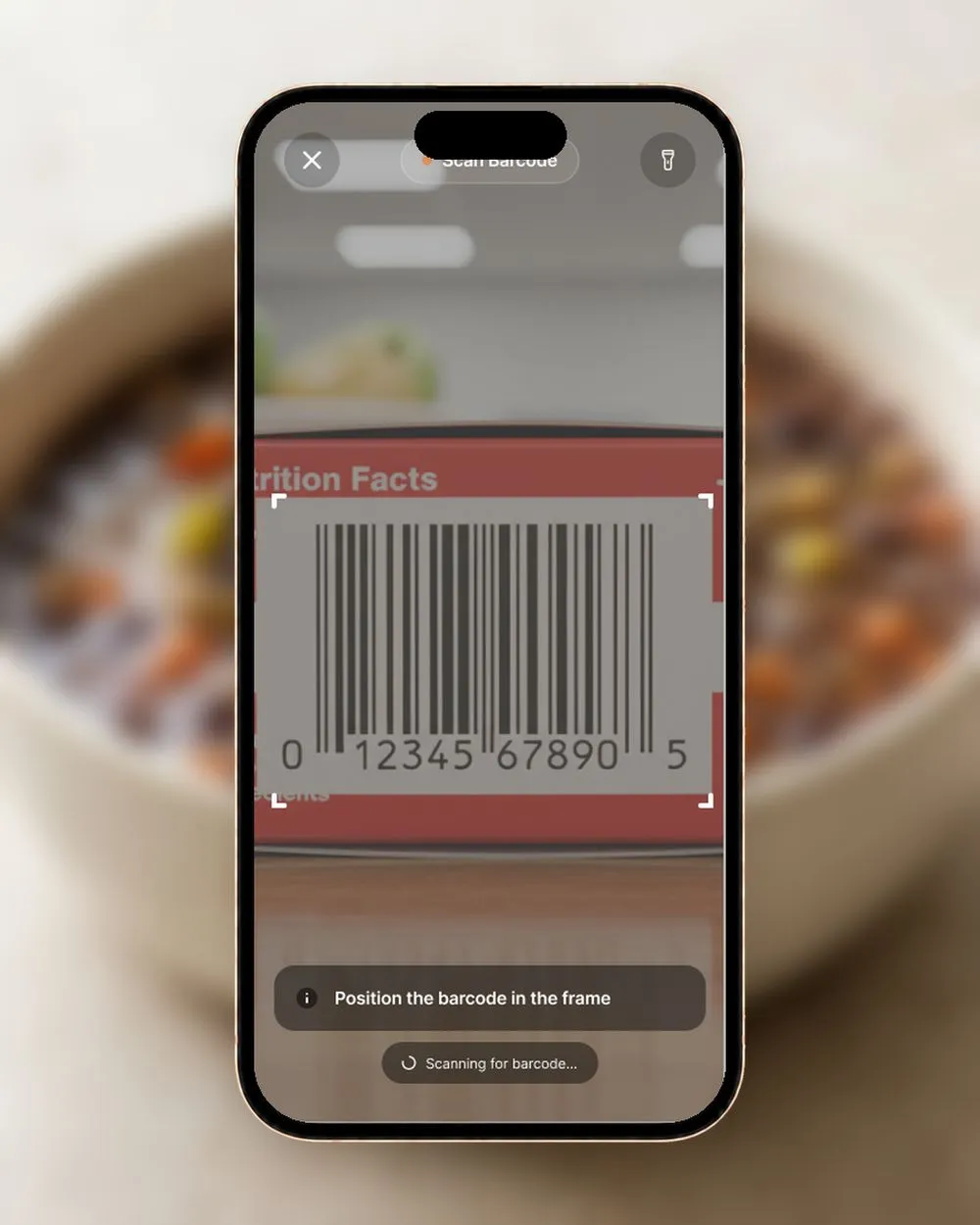
Scan a product barcode to add it to your pantry. Or photograph up to 5 products at a time, and the app proposes matches that you confirm before they are added. You can also search the product catalog, or create your own product from photos, a barcode or by hand.
2. Give each item a quantity and an expiry date
Each pantry item can carry a quantity and an expiry date. The Expiring Soon list shows what expires in the next 14 days.
3. Cook what expires first
From Expiring Soon, pick the items you want to use and see recipes that use them.
4. Shop for what you are missing
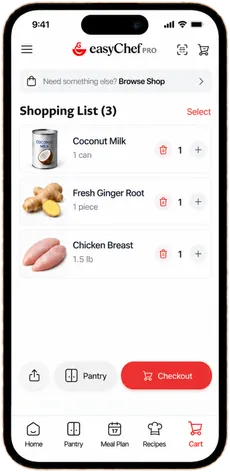
Each recipe shows how many of its ingredients are already in your pantry, like 4 of 6. Add the products for a recipe to your cart, or just the ones you want, and keep the cart as a shopping list you can share as text or a link, or save as a PDF.
5. Keep the pantry right after you cook
When you finish a recipe, preview what comes off your pantry and confirm it, so the list stays current.
Simple habits that keep food from expiring
An app shows you the dates. A few kitchen habits make the dates useful:
- Add groceries when you unpack them. A barcode scan or a photo of up to 5 products takes less time than the trip from the bag to the shelf, and the expiry date goes in while the package is in your hand.
- Check Expiring Soon before you shop. If something expires in the next few days, plan a meal around it before you buy more.
- Move older items to the front. Put the newest food at the back of the shelf and the oldest where you see it first.
- Plan one meal a week from what you have. Pick items from Expiring Soon, see recipes that use them, and put one on the plan.
- Confirm the pantry after you cook. When you finish a recipe, preview what comes off your pantry and confirm it, so the list stays true.
How tracking expiry dates helps you eat well
- Fresh food gets cooked. When you can see what expires soon, the vegetables and proteins you bought get cooked rather than forgotten.
- Recipes with the nutrition shown. The recipes you find for your expiring items show 20 nutrients per serving with a rating and their share of your daily target, plus their scores and NOVA level, so you can choose between them.
- Shopping that fits your plan. Pantry counts on each recipe show what you already have, so your cart holds what the recipe needs.
Expiry dates are the ones you enter. Always check food before you eat it.
What makes easyChef Pro different
Your life changes. Your kitchen should change with it.
A food expiration tracker on its own is a list of dates. In easyChef Pro the pantry is connected to everything else:
- expiring items lead to recipes;
- recipes show your pantry counts;
- the cart takes the products for a recipe, and goes on to Walmart;
- cooking updates the pantry after you confirm.
You see what you have, use it in time, and shop for the rest.
Related Reading
Frequently Asked Questions
- Is there an app that tracks food expiration dates?
- Yes. In easyChef Pro, give each pantry item an expiry date and see an Expiring Soon list of what expires in the next 14 days.
- What is the easiest way to add food to a food expiration tracker?
- Scan a product barcode, or photograph up to 5 products at a time and confirm the matches. You can also search the product catalog or create your own product.
- Can the app suggest recipes for food that expires soon?
- Yes. From Expiring Soon, pick the items you want to use and see recipes that use them.
- Does it track quantities too?
- Yes. Each pantry item can carry a quantity and an expiry date, and each recipe shows how many of its ingredients you already have.
- Does the pantry update when I cook?
- When you finish a recipe, preview what comes off your pantry and confirm it.
KNOW WHAT YOU HAVE
Cook It Before It Expires
Track quantities and expiry dates in easyChef Pro, see what expires soon and find recipes that use it.



On a computer? Scan with your phone camera to get the app.
Use what you have first
See what expires soon in easyChef Pro, find recipes that use it, and shop for the rest.