App Features
How Do You Write Your Own Cookbook on Your Phone?
Short Answer
To write your own cookbook on your phone, pick a theme, write each recipe as you cook it, add photos, and keep the recipes you love in one place. That last part is where most people get stuck: family recipes live on cards, in texts and in screenshots, and the versions you actually cook are not written down anywhere.
Know what to cook, what to eat, and what to buy. easyChef Pro brings your recipes, nutrition, meal plans, pantry and shopping together in one app. As a digital cookbook app, it lets you create your own cookbooks, write recipes in five steps with photos and timers, and save recipes from links with their nutrition calculated. Any recipe can then go into your meal plan from its page, and its products into your cart.
What writing your own cookbook means, and the problem it solves
Family recipes live on cards, in texts, in screenshots and in someone's head. The versions you actually cook, with your changes, often are not written anywhere. Writing your own cookbook puts them in one place, in your words, so you can cook from them and pass them on.
Plan your cookbook before you write
- Pick a theme. Weeknight dinners, family recipes, baking, or the dishes you make for guests.
- List the recipes. Start with ten you make often, not fifty you might.
- Cook each one as you write it. Measure what you actually use instead of what you think you use.
- Write steps someone else can follow. One action per step, with times and temperatures.
- Add photos. A picture of the finished dish helps the reader know they got it right.
- Write down your changes. If you use less sugar than the original, or swap the cheese, say so. Those notes are what make the book yours.
How to build it in easyChef Pro, step by step
- Create a cookbook. Give it a name (up to 64 characters) and a cover photo. New cookbooks are private. A Favorites cookbook is made for you when you sign up.
- Write your own recipes. Build a recipe in five steps, with photos, ingredients, steps and timers.
- Bring in recipes from links. Paste a recipe link in the app, and the recipe is saved to your account with its nutrition calculated. (Import works by pasting the link inside the app; sharing from a browser into the app is not supported.)
- Save any recipe to a cookbook. Tap the bookmark icon on a recipe and pick the cookbook.
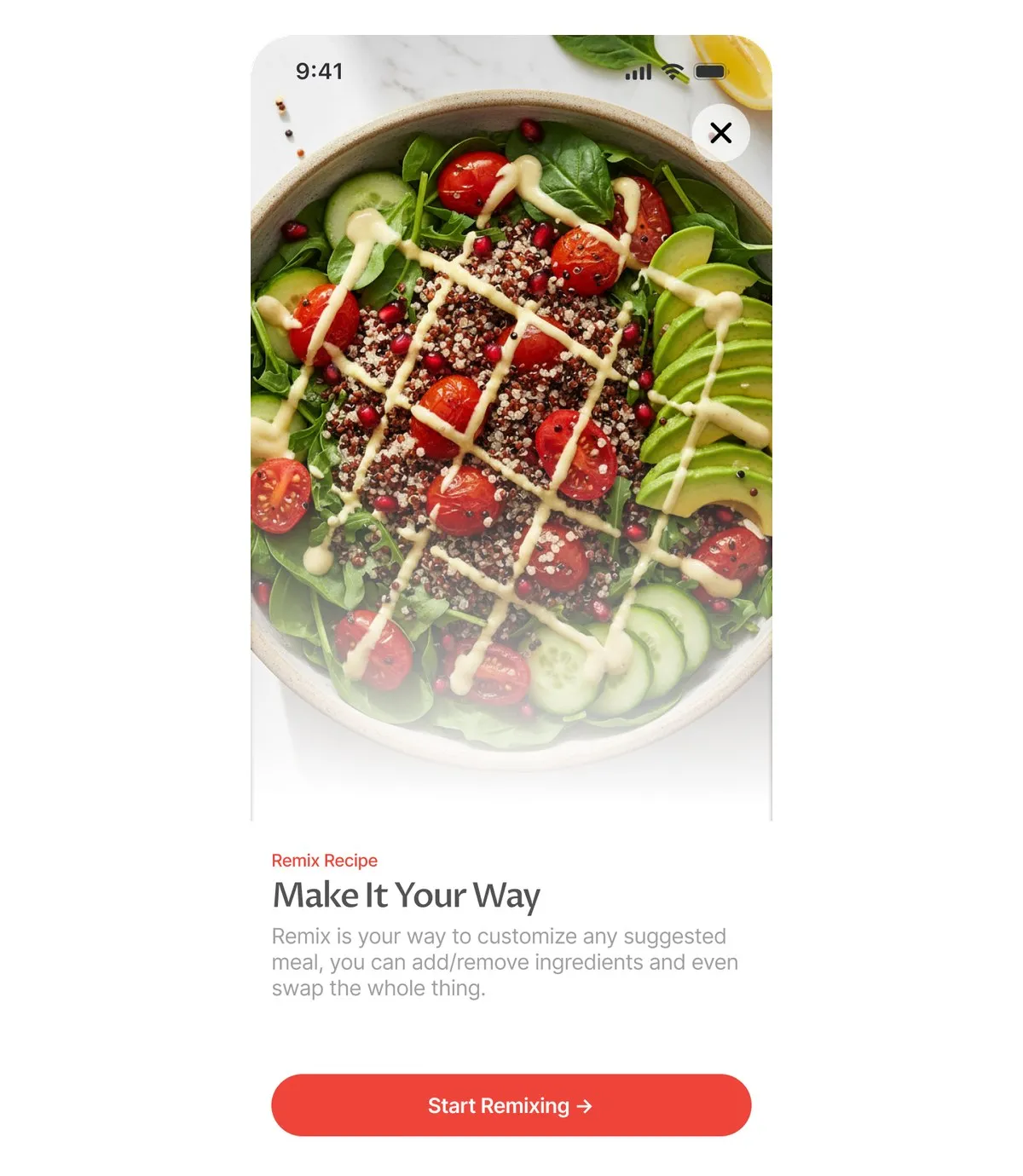
- Make a recipe your own. Remix swaps, adds or removes ingredients, and your remix is saved as its own recipe, so the original stays as it was.
- Publish, if you want to. Publish your recipes and cookbooks so others can browse them in Community Cookbooks. A cookbook needs recipes before it can be published, and remixed recipes cannot be published. To send one recipe to someone, share its link; opening it on a phone with the app opens the recipe.
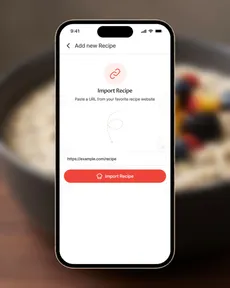
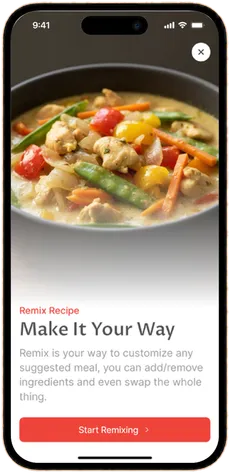
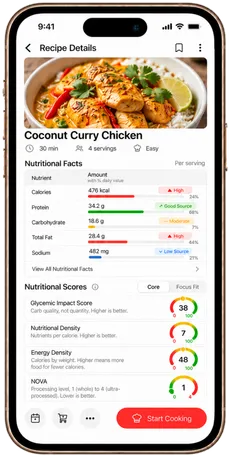
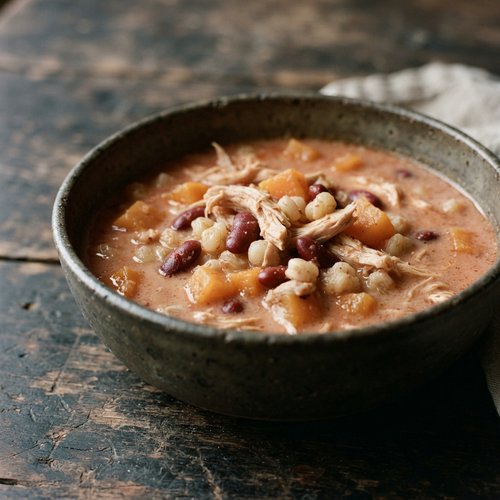
We do not have a cookbook screen yet; these show import, remix and a saved recipe.
Cook from your cookbook
A cookbook is for cooking, not just keeping:
- When you want a recipe in your week, open it and add it to a day and meal in your plan (date, meal type, servings). Cookbook recipes reach your plan this way. The automatic meal plan draws from the easyChef Pro recipe library, not from your cookbooks.
- When it is time to cook, Cook Mode takes you step by step, with timers on the steps that need them. On longer timers, the app can notify you when a timer ends, if you allow notifications.
Your recipes, with the nutrition written in
Most handwritten cookbooks leave nutrition out. In easyChef Pro, each recipe shows its nutrition per serving and its scores: a Glycemic Impact Score, Nutritional Density, Energy Density and a NOVA level. When you remix a family recipe, you can compare the scores and nutrition before and after you save the change.
What makes easyChef Pro different
Your life changes. Your kitchen should change with it.
The recipes you cook at 25 are not the ones you cook with a family, or after a new goal. A digital cookbook changes with you: remix a recipe and keep the original, start a new cookbook for a new chapter, and send any recipe to your plan and your cart from the same app.
Related Reading
Frequently Asked Questions
- How do I write my own cookbook in easyChef Pro?
- Create a cookbook with a name and a cover photo, then write your recipes in five steps with photos, ingredients, steps and timers. Save recipes from links or from the app to the same cookbook.
- Can I add recipes from websites to my cookbook?
- Yes. Paste a recipe link in the app and the recipe is saved to your account with its nutrition calculated. Then save it to any cookbook. Sharing a link from a browser into the app is not supported.
- Is my cookbook private?
- Yes. New cookbooks are private. You can publish a cookbook that has recipes in it so others can browse it, and remixed recipes cannot be published.
- Can I share my cookbook with family?
- You can publish it so others can browse it in Community Cookbooks, or share a single recipe as a link. There is no option to send a whole cookbook to one person.
- Do my cookbook recipes go into my automatic meal plan?
- No. The automatic plan draws from the easyChef Pro recipe library. Add any cookbook recipe to your plan by hand from its page, with a date, meal type and servings.
YOUR RECIPES, YOUR WAY
Write the Cookbook You Actually Cook From
Create cookbooks in easyChef Pro, write and remix your recipes, and see the nutrition for each one.



On a computer? Scan with your phone camera to get the app.