App Features
How to Add a Recipe to a Meal Plan, and When Does It Count as Eaten?
Short Answer
Here is how to add a recipe to a meal plan: choose the day, choose the meal, and set how many servings you will eat. That part is simple. Where plans go wrong is the gap between the plan and the plate, because a planned meal is a plan, not a record of what you ate.
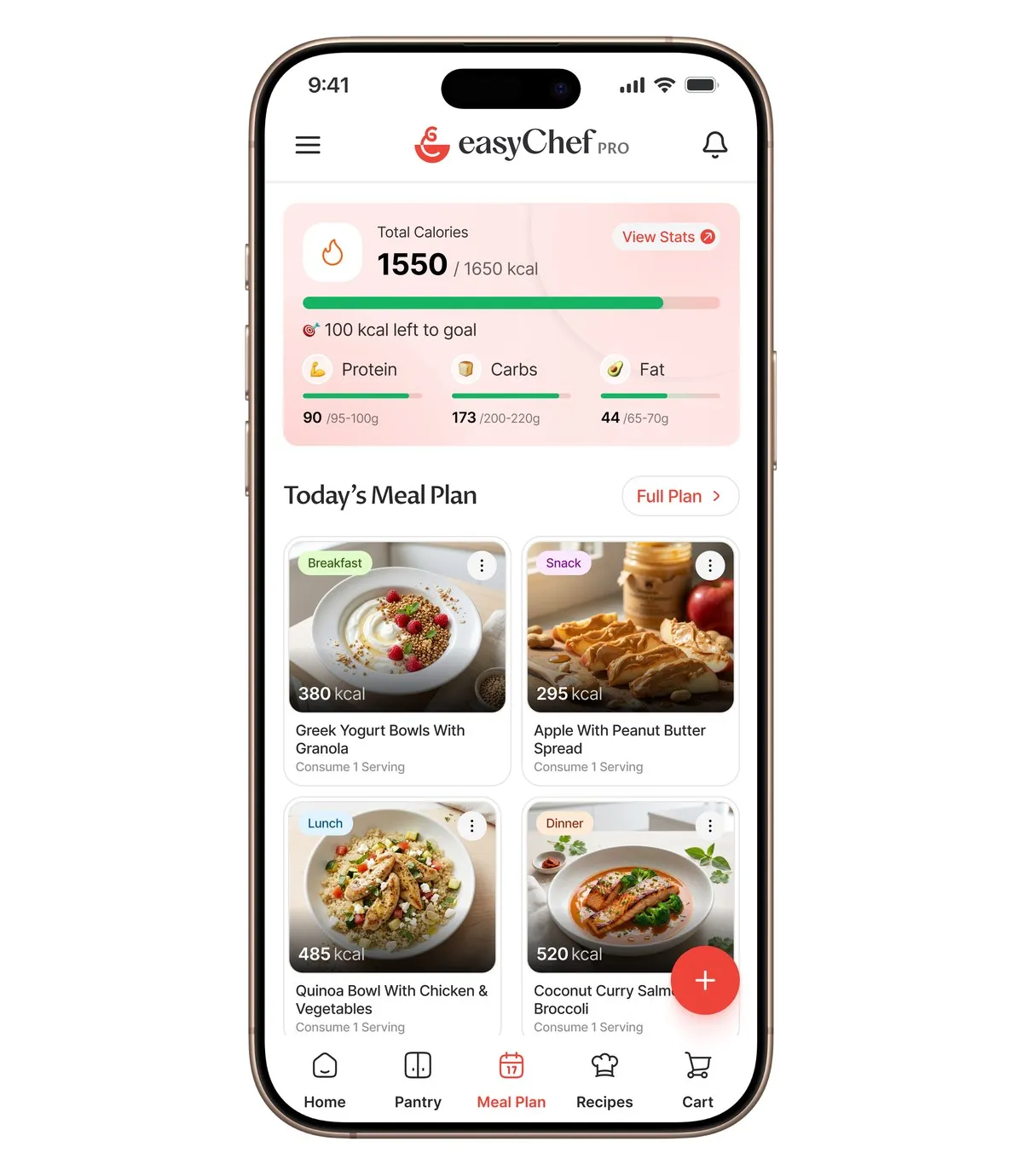
Know what to cook, what to eat, and what to buy. easyChef Pro brings your recipes, nutrition, meal plans, pantry and shopping together in one app. From any recipe page, add the recipe to your plan with a date, meal type and servings. It counts toward your day once you mark it eaten, and My Progress then shows your calories against your target. Add its products to your cart for the shop.
Three choices when you add a recipe
- The date. Which day you will eat it.
- The meal type. Breakfast, lunch, dinner or a snack.
- The servings. How many servings you will eat. This sets the nutrition that counts for that meal.
How to add a recipe to a meal plan, step by step (in easyChef Pro)
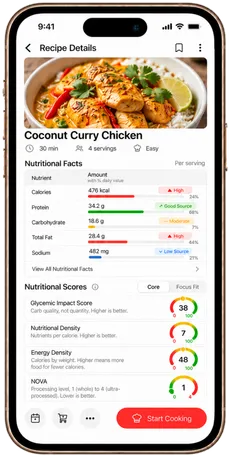
- Open the recipe. Any recipe works: one from the library, one you saved from a link, one you created or a remix.
- Tap the calendar icon at the bottom of the recipe page.
- Pick the date, meal type and servings.
- Confirm. The recipe is added to that day as an extra slot. Your automatic plan for the rest of the week stays as it was.
- Shop for it. On the recipe, add all of its products to your cart (a confirm step is shown), and remove what is already in your pantry.
- Mark it eaten when you have it.
Planned is not eaten: why marking matters
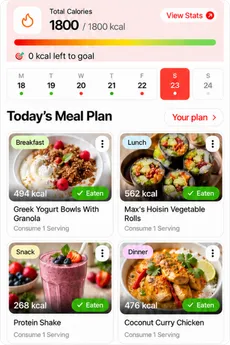
A meal plan says what you mean to eat. Your day says what you did eat. In easyChef Pro, a planned meal counts toward your progress only once you mark it eaten. Then My Progress shows your calories against your target, Meal Logs show protein, fat and carbs for each meal, and your day streak keeps going. If you skip the meal, it does not count, so your record stays true to the day.
Automatic plan, your own days, or one recipe at a time
There are three ways to fill a week in easyChef Pro:
- Auto Generate builds a plan from your goal, diet plan, health focus, allergies, protein sources and meals per day.
- Build It Yourself lets you plan your own days.
- One recipe at a time, from the recipe page, as in the steps above.
They work together. Let the app build the week, then add a recipe you want from its page.
Tips for planning recipes into your week
- Plan the busy nights first. Put quick recipes on the days you get home late.
- Use leftovers on purpose. Add the same recipe to the next day's lunch with fewer servings.
- Check the servings before you shop. The servings you plan should match the products you add to your cart.
- Mark meals eaten as you go, not at the end of the week.
How servings change what counts
The servings you choose when you add a recipe set how much of it counts for that meal. On the recipe page, the servings selector scales the ingredient amounts, so you can see what one serving or two looks like before you plan it. Plan the servings you will actually eat, and your calories against your target will match your day.
What makes easyChef Pro different
The problem was never you. The system was disconnected.
Most people keep recipes in one place and the plan in another. In easyChef Pro any recipe goes into your meal plan from its own page, with its nutrition per serving, and into your cart from the same page, so the plan, the shop and the record of what you ate all match.
Related Reading
Frequently Asked Questions
- How do you add a recipe to a meal plan?
- Open the recipe in easyChef Pro, tap the calendar icon, and pick the date, meal type and servings. The recipe is added to that day.
- Does adding a recipe change my automatic plan?
- No. The recipe is added as an extra slot on that day, and the rest of your plan stays as it was.
- Does a planned meal count toward my calories?
- Only once you mark it eaten. Then My Progress shows your calories against your target.
- Can I add a recipe I saved or created?
- Yes. Any recipe can be added to your plan from its page, including recipes you saved, created or remixed.
- How do I shop for a recipe in my plan?
- On the recipe, add all of its products to your cart after a confirm step, then remove what is already in your pantry.
PLAN IT
Add Any Recipe to Your Meal Plan
Pick the date, meal type and servings from a recipe page in easyChef Pro, then mark it eaten when you have it.



On a computer? Scan with your phone camera to get the app.